Take a picture of a hand sketch with sizes. You get a proposal that keeps the written sizes and shows which sizes do not add up.
This needs Pro.
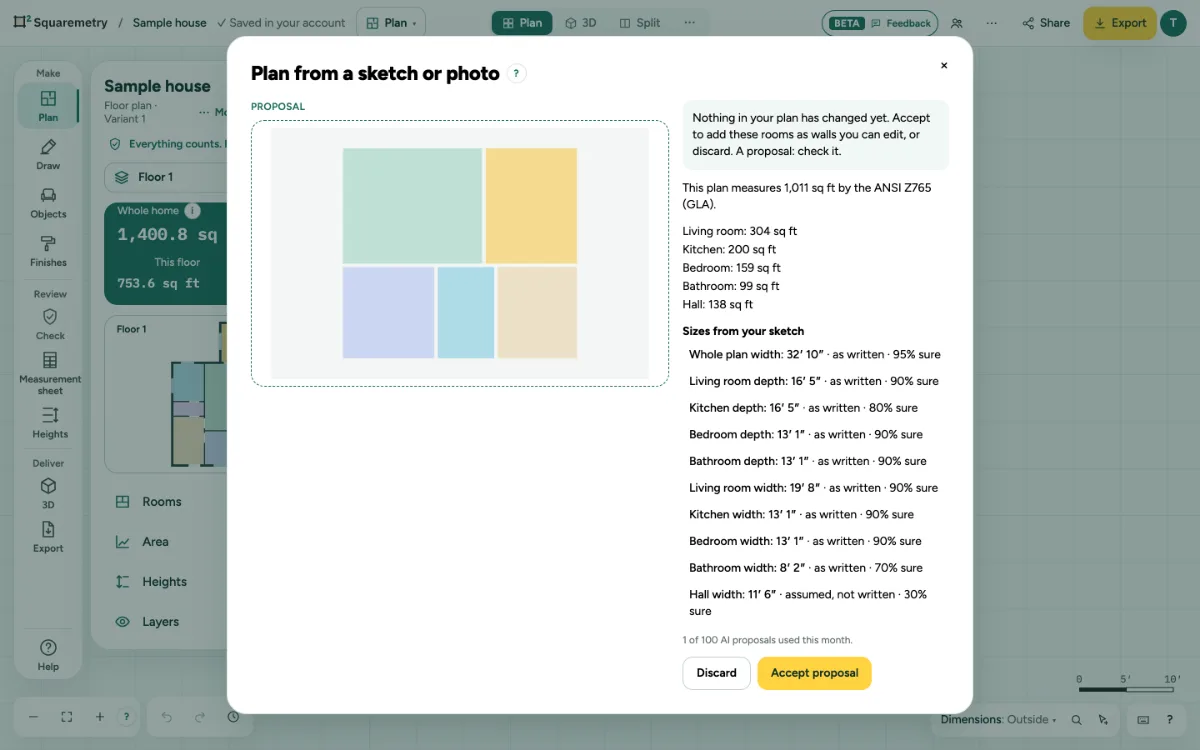
Plan from a sketch or photo (AI): step by step
1. Open it
Click … at the top right, open File and choose Plan from a sketch or photo (AI)…, or search it with ⌘K.
2. Choose a picture
Click Choose a picture: PNG, JPEG or WebP, up to 20 MB. Your browser redraws every picture first (large ones also smaller), so photo data such as the place where it was taken is never sent.
3. Check the sizes
Under Sizes from your sketch, each size is marked as written, assumed or does not add up, with how sure it is.
4. Accept or discard
Accept proposal adds walls you can edit, in one undo step. Discard changes nothing.
Messages you may see
- This file is not a PNG, JPEG or WebP picture.
- This picture is too large. Use a picture under 20 MB.
- Cancelled. Nothing was changed.
- Construction is locked, so the plan was not applied. Unlock it and choose Accept proposal again.
- You are a reviewer in this office: you look, you do not change anything. AI proposals are made by a drafter, an admin or the owner. Ask the norm and the AI help are open to you.