Make an A4 flyer, or a square or portrait image for social media, straight from your plan: the floor plans, the area under the standard, the rooms and a QR code.
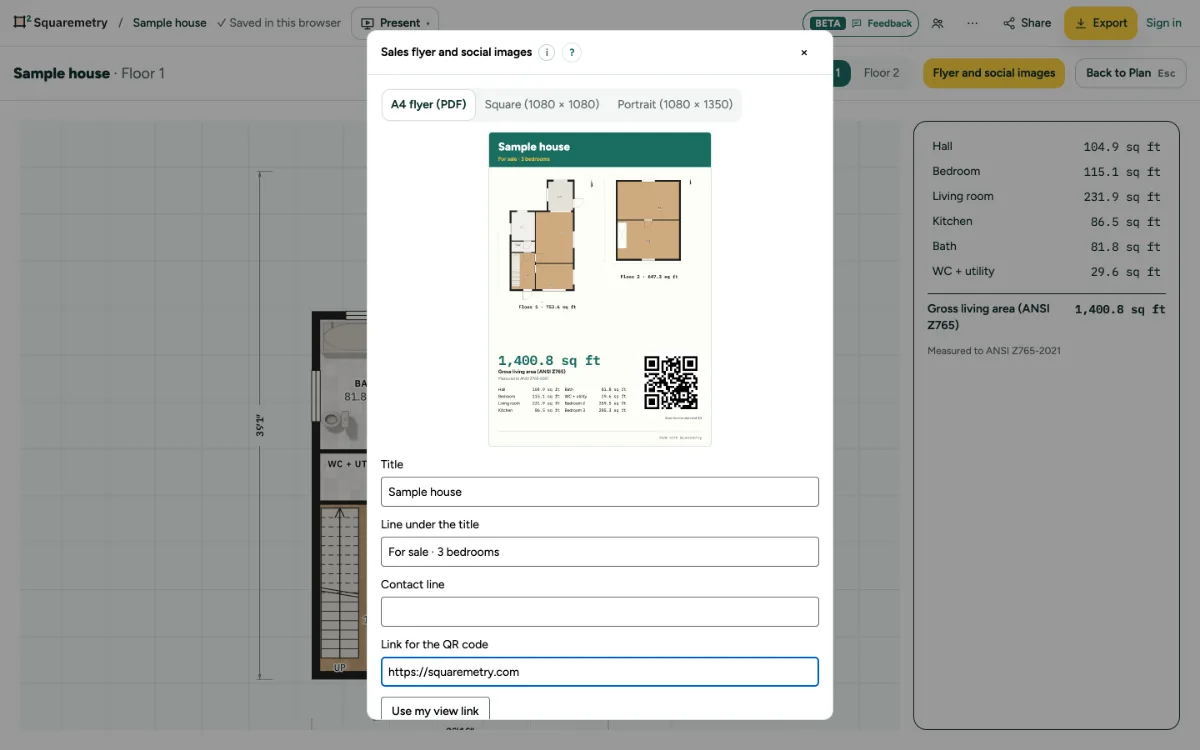
Sales flyer and social images: step by step
1. Open it
Click Flyer and social images in Export, or press ⌥4 for Present and click it there.
2. Choose a size
A4 flyer (PDF), Square (1080 × 1080) or Portrait (1080 × 1350). The preview follows every change.
3. Your words
Change the title, add a line under it such as For sale, and a contact line.
4. QR code
Click Use my view link to put your view link on it (with an account), or paste any web link, such as your listing. Without a link there is no QR code.
5. Save
Click Save PDF or Save PNG. The preview is drawn in your browser; the file itself is made by our server. Saving comes with an unlocked home, Pro or Team; without it the preview stays and the window says why before you click.
Shortcuts
- ⌥4
- Present, from every place
Messages you may see
- This is not a web link. A QR code needs a link that starts with https://.
- Sign in and keep this home in your account to make a view link. You can also paste any link.
- Nothing to show yet. Draw a room first.