Keep the assignment with the home: work, client, address, deadline and status. Deliver by link and get comments back on the plan.
You need a free account for this.
Assignments and delivery by link: step by step
1. Start an assignment
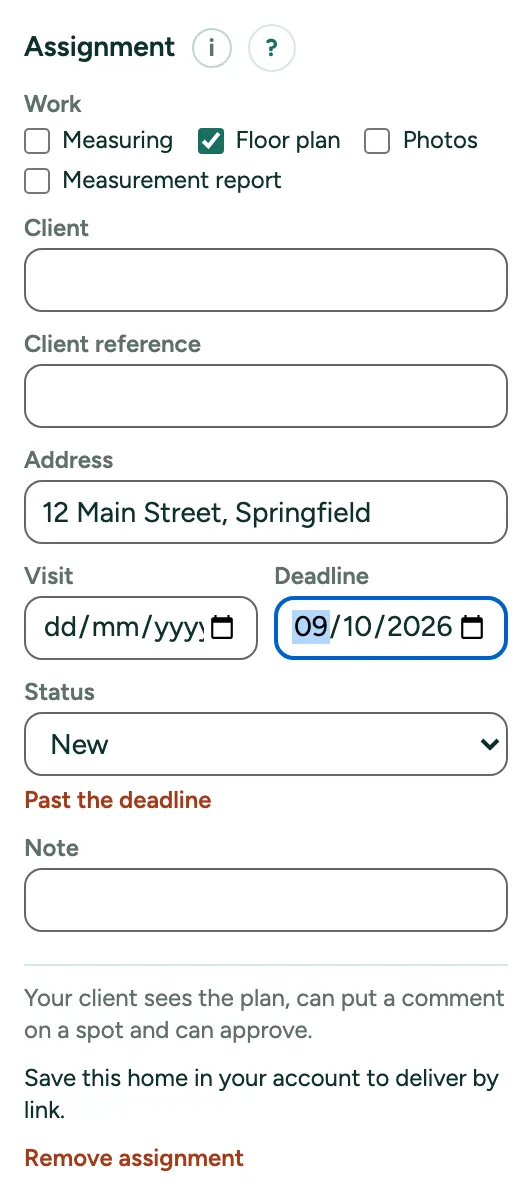
Click Check in the rail (Review), open More for professionals in the card on the right and click Start an assignment. Fill in the work, the client, the address and the deadline.
2. Follow the status
New, Planned, Measured, Delivered, Correction asked or Approved, with a history. Past the deadline shows in My homes too.
3. Deliver by link
Click Deliver by link (30 days). The status becomes Delivered. Copy the link for your client; Turn off stops it.
4. Correction
A comment from the client sets the status to Correction asked and shows as a numbered dot on your plan.