A presentation is a read-only page for your client, built from this measured plan. Presentation links are part of Pro.
This needs Pro.
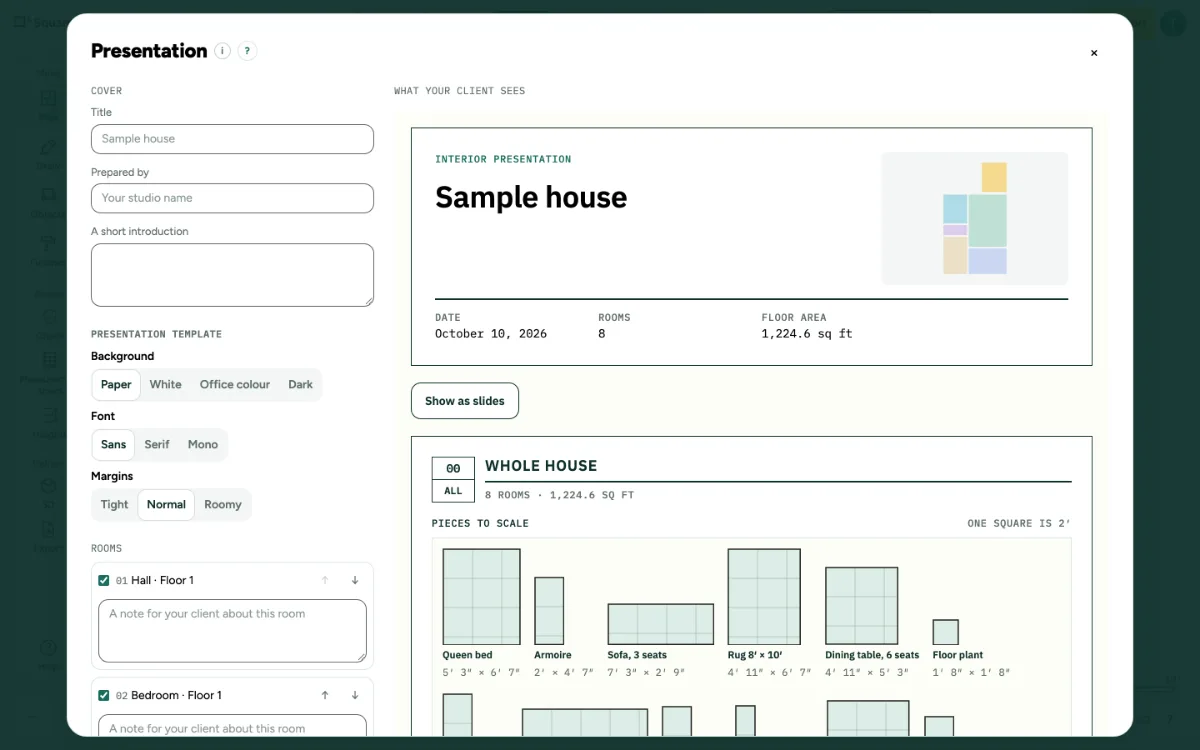
Make a presentation for your client: step by step
1. Open it
Click … at the top right, open File and choose Presentation….
2. Fill it in
Choose what shows and check the preview.
3. Make the link
Set how many days the link works, from 1 to 365, and make the link. Without Pro you see Presentation links are part of Pro, with See Pro. Your client can download the list when the box Let your client download the list (CSV and PDF) is ticked; that needs the right to export in your team. Without that right the box is off and says why.
Messages you may see
- Presentation links are part of Pro.