Skip to the content
FIRST HOME FREE 30 days of exports without the mark, no card
Files and export

The language of an export

Guide: The language of an export · · 1 min read

Export a plan in English, Dutch, German or Spanish, whatever language the editor is in.
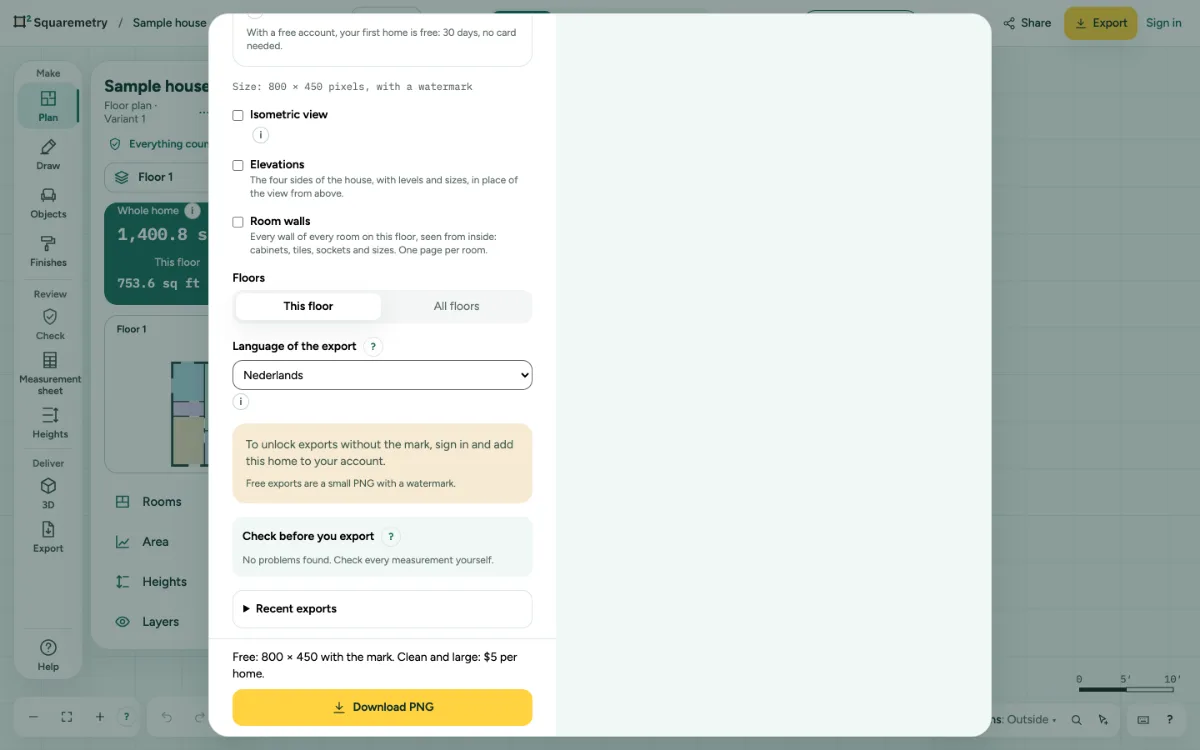
The Export window with Language of the export set to Nederlands.

The language of an export: step by step

  1. 1. Choose the language

    In Export, choose a language under Language of the export. The preview follows right away.

  2. 2. What changes

    Headings, room types, dates, numbers and the explanation per rule. A name that is a room type, like Kitchen, becomes Keuken, Küche or Cocina.

  3. 3. What stays

    Names you made up yourself stay as you typed them. The editor itself keeps its own language; each export starts at Same as the editor.

Related

Still stuck?

Questions about “The language of an export”? Send us a message and tell us what you tried. We will help you from there.

Start with your first floor plan

Your first home is free for 30 days, no card needed. After that: $5 per home, or Pro from $24 a month.

Start for free

or sign in with a code by email