Give a piece its own material or colour, for each part it really has: the base or the cabinet, and the upholstery of a sofa or bed. You see it in the plan and in 3D.
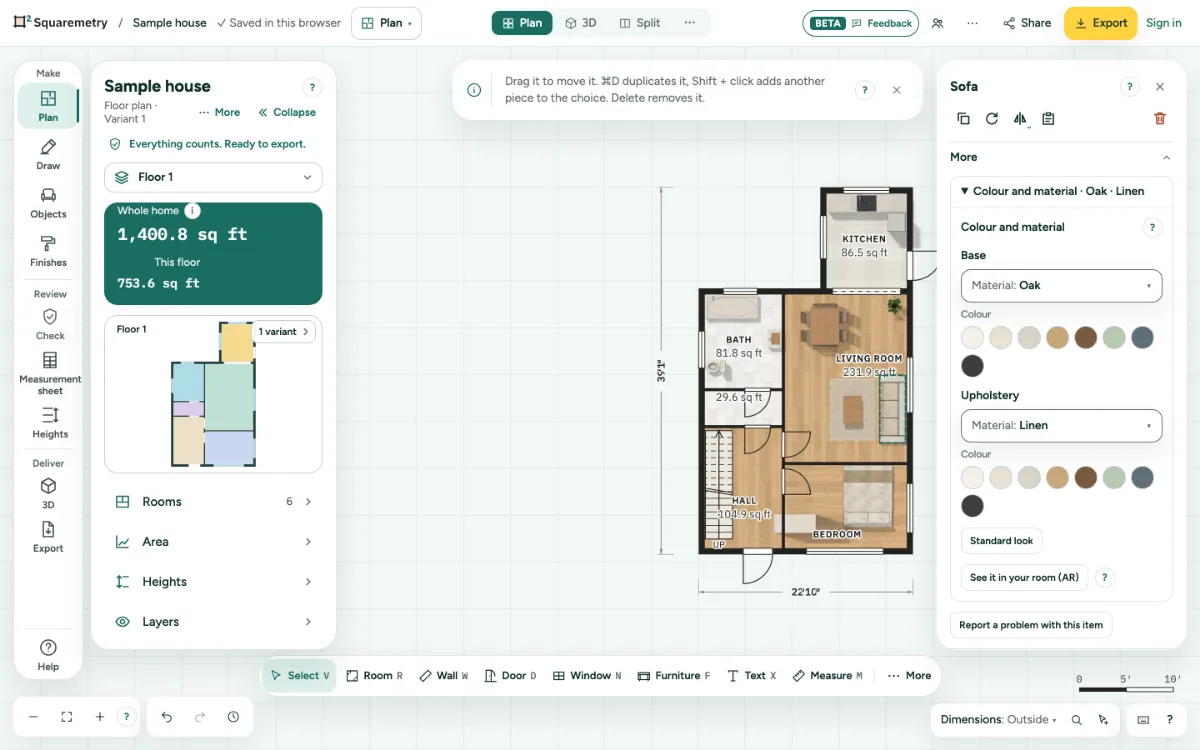
Colour and material per piece: step by step
1. Open the group on a piece
Choose a piece of furniture. At the bottom of its card, open Colour and material. The heading already says what is set, like Colour and material · Oak.
2. Base, cabinet and upholstery
Pick a Material or a Colour for each part. A table or chair has a Base, a cupboard a Cabinet, and a sofa or bed also Upholstery. A tree, lamp or toilet has no parts, so the group is not there.
3. Back to standard
Standard look puts every part back as it was. Undo takes back each change as well.