Save the settings you use most as a favourite with a name: dimensions, display, drawing, 3D, export, sharing and layout. Apply it with one click, and let every new plan start with it.
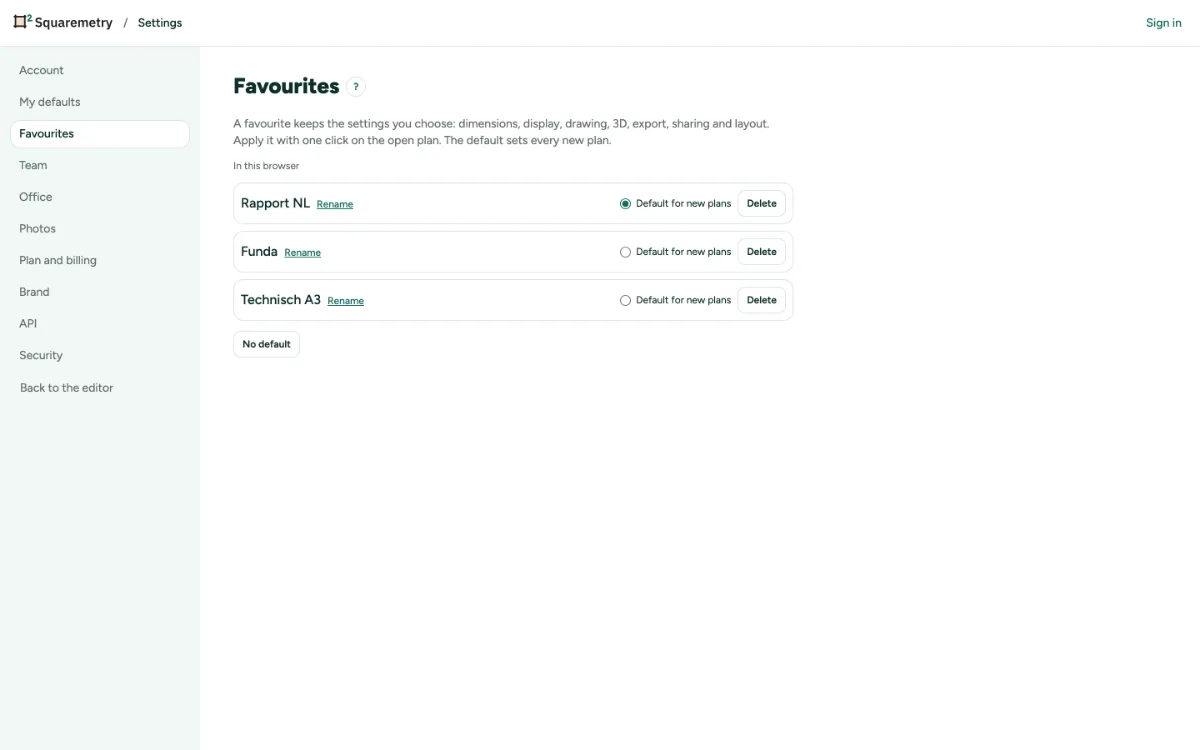
Favourite settings: step by step
1. Save as favourite
Open the menu Dimensions at the bottom right, or Export. Under Favourites, click Save as favourite, type a Name and choose what goes along. Everything is ticked; untick a group you want to leave out. Click Save.
2. Apply with one click
Click the name of a favourite in the list. The open plan takes its settings at once. One undo with ⌘Z puts everything back, also the settings of the editor.
3. Start a new plan with it
Open Settings, tab Favourites, and choose Default for new plans. A new plan then starts with that favourite, and Share starts with its choices for a new link. On the start screen, in My homes and in Start from address, Start with lets you pick another favourite or No favourite.
4. Manage
In Settings, tab Favourites, you rename and delete. The arrow next to a favourite in the menu overwrites it with the current settings. You keep up to 50 favourites.
5. House style of the team
In Settings, tab Favourites, an owner or admin of a team clicks Pin as house style of the team. Every member sees it at the top of the list, and new plans start with it unless they chose their own default.
Messages you may see
- Saved in this browser. Sign in to keep it in your account.
- You have 50 favourites, the maximum. Delete one first.
- You already have a favourite with this name.
- Only an owner or admin of the team can do this.