You only get news from us by e-mail when you tick the box yourself, and you stop with one click in every mail. Mails about your account and payments always come.
You need a free account for this.
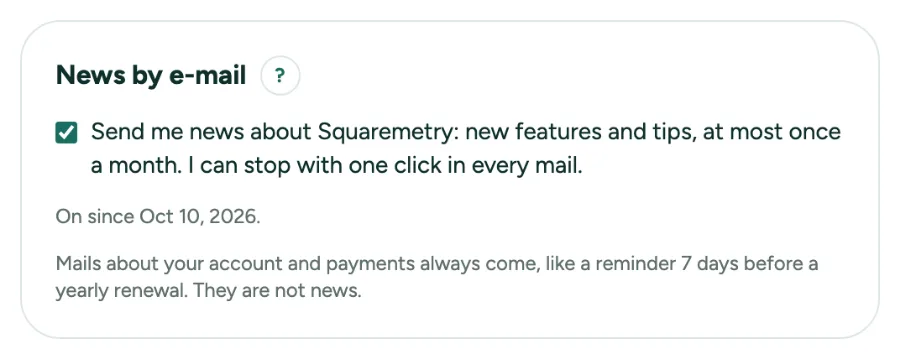
News by e-mail, and the reminder before a yearly renewal: step by step
1. Switch news on or off
Settings, Account has News by e-mail. Tick the box to get new features and tips, at most once a month. Untick it to stop. We keep the text you agreed to and when.
2. Stop with one click
Every news mail has a link at the bottom and a one-click unsubscribe that your mail program shows next to the sender. The link opens a page with one button, so a virus scanner never unsubscribes you by itself.
3. The reminder before a yearly renewal
With Pro per year, you get a mail 7 days before it renews, with the amount and the date. To stop, cancel before that date in Settings, Subscription; Pro keeps working until the end of the year you paid for.
Messages you may see
- This link does not work. Switch news off in Settings, Account.