With the API per home your own software makes a home from a file, measures it under the standard and exports drawings, the FML or the report. A home counts once a month, on its first clean export or report. A sandbox key is free for testing.
You need a free account for this.
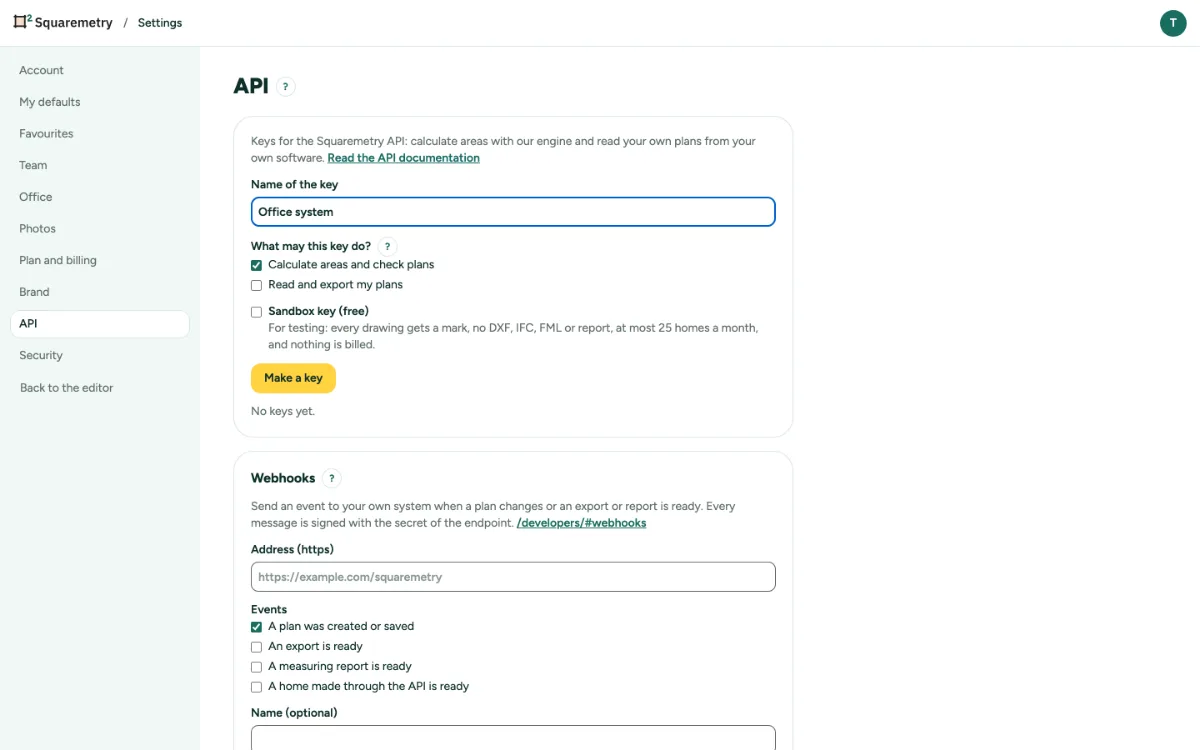
The API per home: make, measure and export homes: step by step
1. Make a sandbox key
In Settings, API, give the key a name and tick Sandbox key (free) first; then tick what it may do (Make homes from a file, Measure and export homes, Make view links). Without Pro, Team or Enterprise only a sandbox key can be made.
2. Ask for the API
We switch the API per home on for your workspace or organisation. Then the same choices work for a live key without a mark.
3. Make a home
POST /public/v1/homes with a name and the file as text: FML, IFC, DXF, .sqm or the JSON of a RoomPlan scan. Your webhooks get home.ready.
4. Measure and export
GET /homes/{id}/area measures under any standard, free. GET /homes/{id}/export gives PNG, SVG, PDF, DXF, IFC, FML or the report; the Squaremetry-Home header says whether this home now counts.
5. Rotate or revoke
Rotate makes a new key; the old one keeps working for 24 hours so you can switch without stopping. Revoke stops a key at once.
6. See what it costs
GET /public/v1/usage shows the homes this month and what they cost so far per tier.
Messages you may see
- The API per home is not on for this workspace yet. Ask us, or make a sandbox key.
- Choose what the key may do.