When you ask us for help, someone from Squaremetry can look along in your plan, point things out and, if you allow it, show you how. You always decide; we see only this plan and the editor.
You need a free account for this.
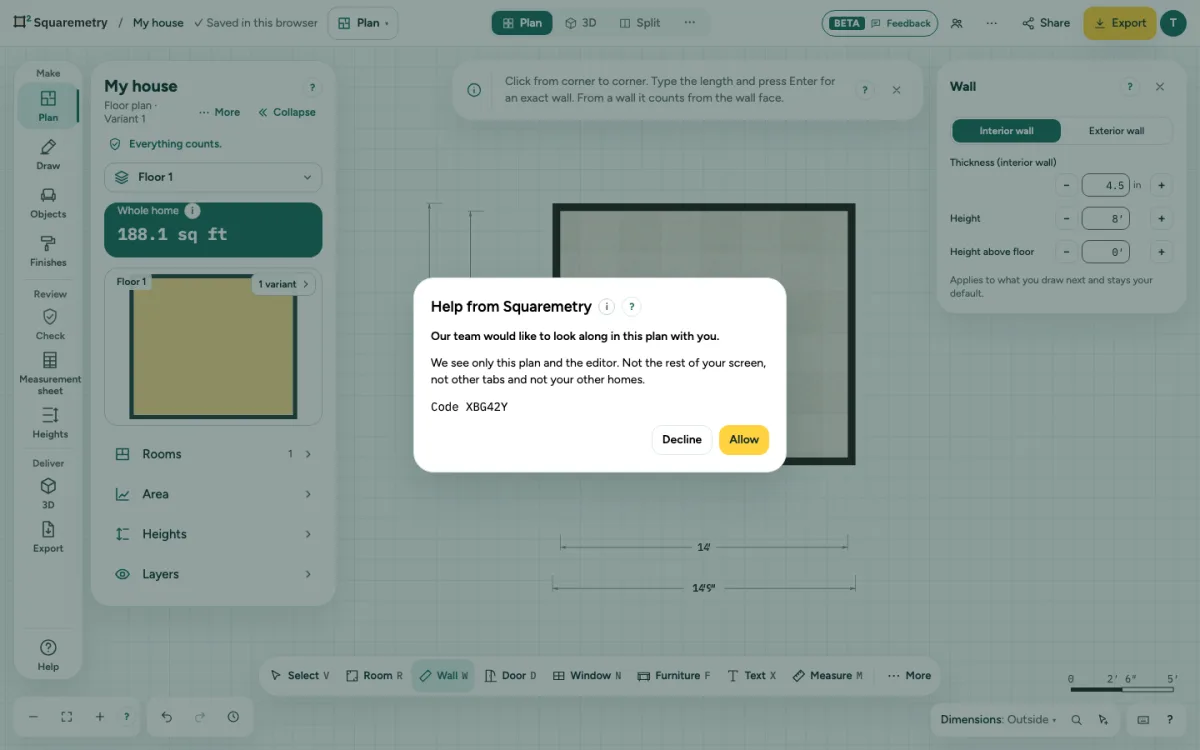
Help by looking along: step by step
1. Ask us
Call, WhatsApp or email us and say which account you use. Keep the editor open and stay signed in. You never start it yourself: only our team can ask.
2. Allow or decline
You get the question Help from Squaremetry, with a code of six characters. We say the same code to you, so you know it is really us. Click Allow to start, or Decline: then nothing happens. Without an answer the question goes away after 2 minutes.
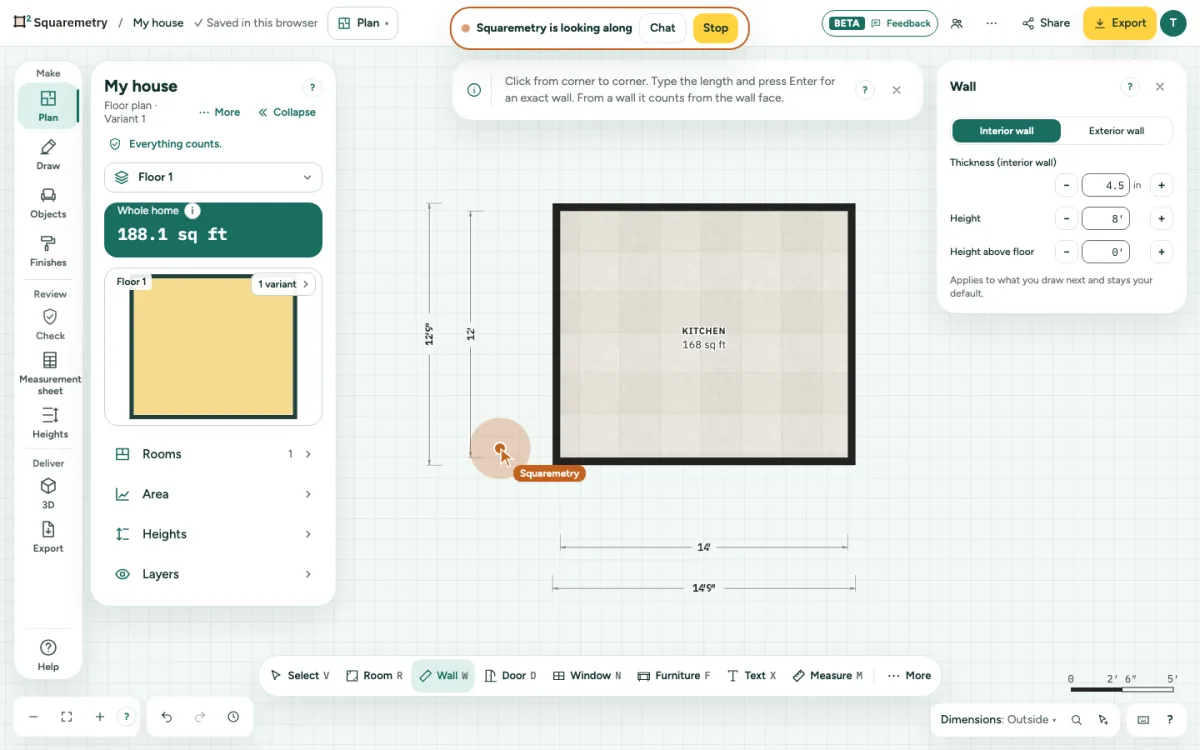
3. What we see
Only this plan and the editor: the same floor, view, zoom and what you have chosen. Not the rest of your screen, not other tabs and not your other homes. A bar at the top says who is looking along.
4. Pointing
Our pointer shows with the label Squaremetry. A click by us puts a pulsing dot on the spot we mean. On a phone or tablet the pointer is a dot.
5. Showing you how
We only change something after a second question: May we show you for a moment? Click Yes, show me, or Not now. Each change is a normal step: undo it with ⌘Z. Stop changes takes the permission back at once; changes already made stay until you undo them.
6. Chat and stop
Chat opens a small window for text. Stop ends it at any time, for both of you; it also stops after 60 minutes or when you close the editor. Nothing of your plan or the chat is kept, only a line that it happened.
Shortcuts
- ⌘Z
- Undo
On Windows and Linux, use Ctrl where the Mac has ⌘.
Messages you may see
- Looking along has stopped.
- We stopped looking along.
- Looking along stopped after 60 minutes.
- Looking along stopped: the connection is gone.