A cabinet with shelves, a table, a block or a stair, made from sizes you can change later. Every copy follows.
Model: smart parts from a few sizes: step by step
1. Place one
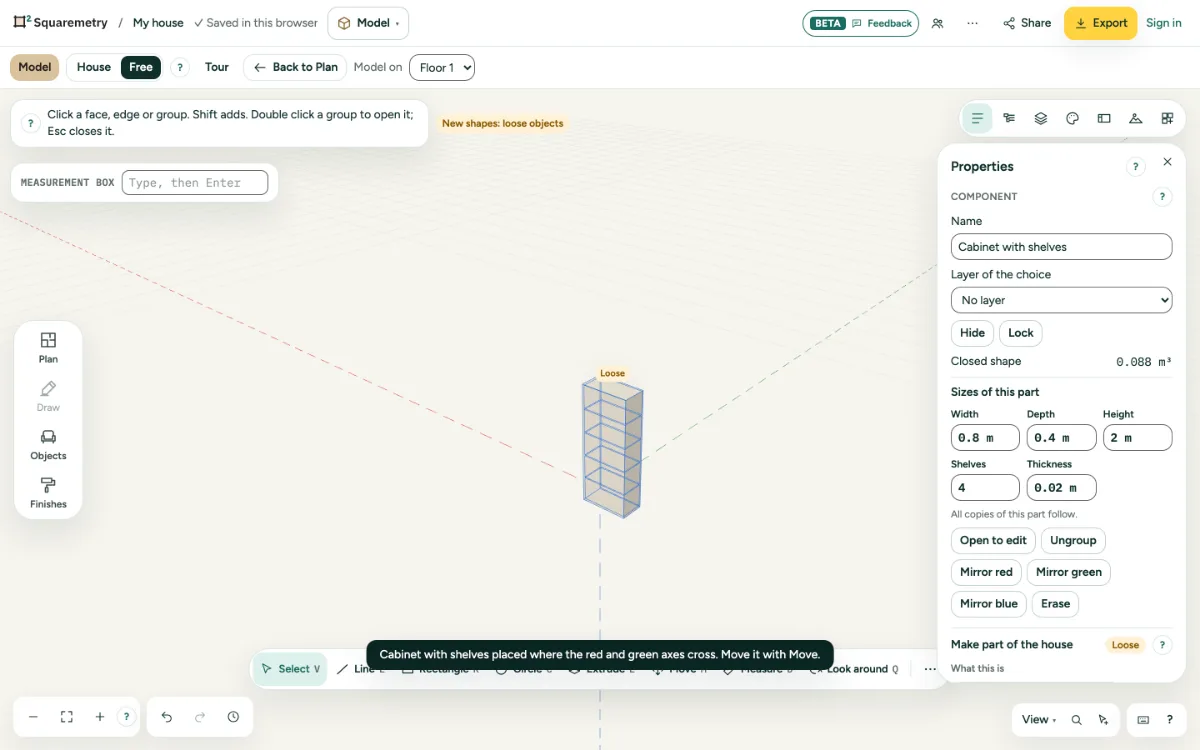
Open Parts on the right and click Cabinet with shelves, Table, Block or Stair. It is placed where the red and green axes cross.
2. Change the sizes
Choose it and open Properties. Type a width, depth, height, the number of shelves or steps, or a thickness, and press Enter.
3. Copies
Copy it with Move and Ctrl. Changing the sizes of one changes all; Make unique separates one.
Messages you may see
- Sizes changed.
- Shelves: 0 to 30. Steps: 1 to 40.
- The thickness is at least 5 mm and at most a third of the smallest size.